
SQL Server Replication Alerts

This article shows how to capture SQL events during the replication process and email them to the replication's administrator.
These captured SQL events can be one of the following:
• errors that are happening during the replication process while all agents are working fine.
• errors that are happening when trying to start the replications agents.
• replication processing events i.e. successfully stopping the replication's job.
What to do:
1) I have created 2 databases to test:
• a source database using the AdventuresWorks backup you can download it from here:
AdventureWorks sample database
• an empty database named "test" used as a subscriber (in the image from below it shows after a successfully replication).
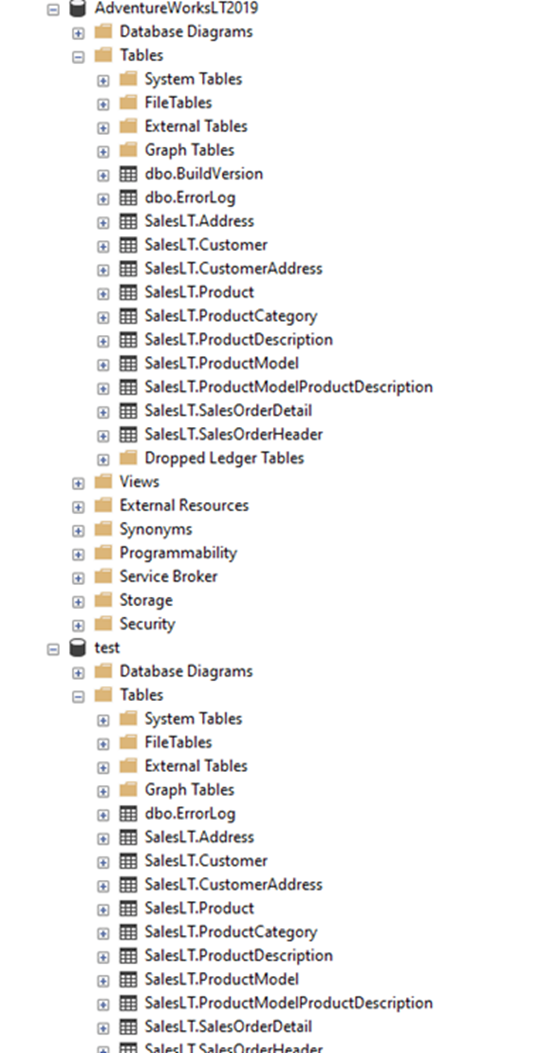
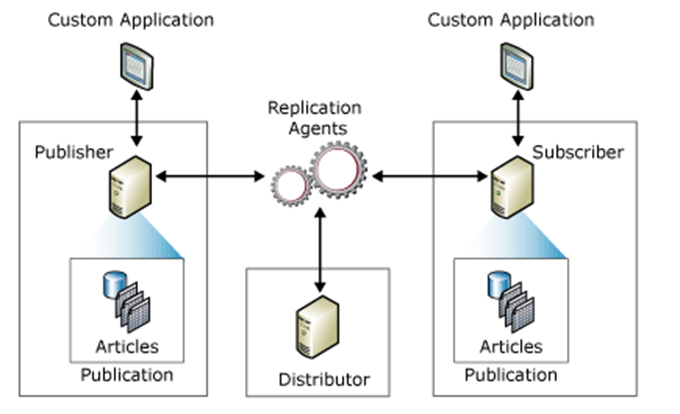
2) I have created a Publication, keeping the distribution, the publisher and the subscriber on the same database server, for simplicity.


In a common configuration, the distributor, the publisher and the subscriber databases can be situated on separate servers.
In the images from below you can see as I am adding a subscription's server and database from the Azure Cloud (the same can be done on the Publisher's side):

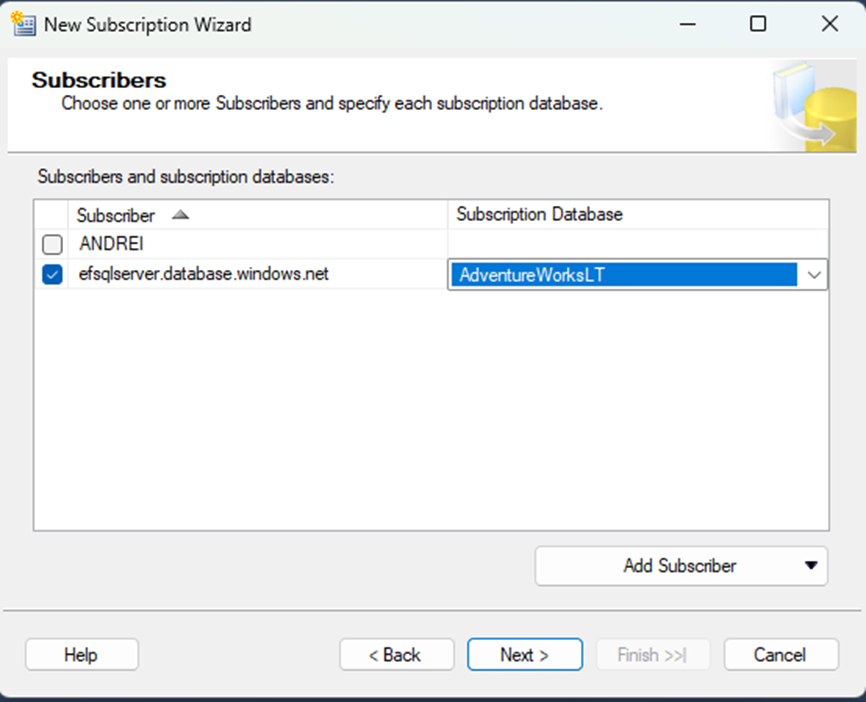
By doing this, the msdb database on the distribution server it is the place that records all the events we required to monitor the replication.
3) Make sure you set up SQL Server to send emails via an SMTP server.
4) The replication's events we are interested in creating alerts for exists in the sysreplicationalerts table from the msdb database:


The events recorded in the "alert_error_txt" column have values as below:
Replication-Replication Distribution Subsystem: agent DESKTOP-63L988E\SQLSE-AdventureWorksLT2019-PublicationSource-DESKTOP-63L988E\SQLSE-5 failed.
The process could not bulk copy into table '"SalesLT"."Address"'.
Replication-Replication Distribution Subsystem: agent DESKTOP-63L988E\SQLSE-AdventureWorksLT2019-PublicationSource-DESKTOP-63L988E\SQLSE-4 failed.
The process could not connect to Subscriber 'DESKTOP-63L988E\SQLSERVER2022FRE'.
Replication-Replication Distribution Subsystem: agent DESKTOP-63L988E\SQLSE-AdventureWorksLT2019-PublicationSource-DESKTOP-63L988E\SQLSE-5 succeeded.
The process was successfully stopped.
The altert_error_code is another column that can be used when filtering the messages that will go out via the alert.
5) I have created a trigger on the sysreplicationalerts table to pick up the top first newest record and send it in an email:
CREATE TRIGGER SendTheEmails
ON msdb..sysreplicationalerts
AFTER insert
AS
BEGIN
declare @errorMessage varchar(max)
set @errorMessage = (SELECT TOP 1 alert_error_text from msdb..sysreplicationalerts order by alert_id desc)
EXEC msdb.dbo.sp_send_dbmail @profile_name='Eugen Mail',
@subject='Replication errors',
@body=@errorMessage
END
GO
The email received it is displayed below:

6) When the replication it is successful, you can see the tables and the transactions delivered to the replica as seen below:

7) When the replication encountered an error, you can see the errors displayed as below:

8) To create an error during replication, do the following:

Open the publication's properties and change the "Action if name is in use" to "Keep existing object unchanged".
The "Keep existing object unchanged" option is generated errors wherever the data in the snapshot already existed in the replica database.
9) At the same time, an event recorded into the sysreplicationalerts table can be generated by stopping:
• the SQL Job that is running the replication or
• the replication's agents via the "Launch Monitor Replication":


10) Alerts can be configured as well via the SQL Jobs as seen below:

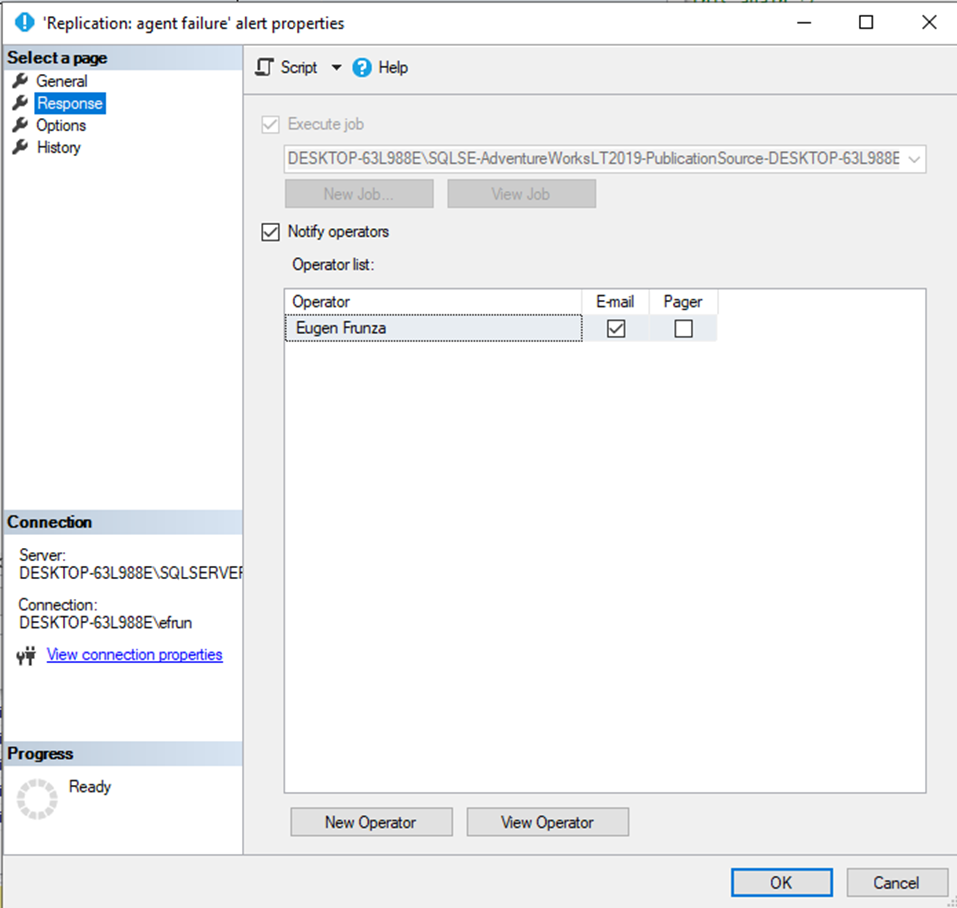
These alerts from 10) needs to be tested as I have not tested them myself.
Comments