
How to use Azure Durable Functions to create a SQL Server Replication Health Check
- X HI Technical Writer

- Mar 7, 2024
- 3 min read
This article describes the design and code implementation for a solution which periodically checks the status of a delayed process.
1. Design

The design proposes the use of Azure Durable functions that have an internal implementation allowing them to keep the function's execution history.
The Azure Durable function's app contains the functions and perform the operations described below:
1. Orchestration's function containing Activity Functions 1 and 2.
2. Activity Function 1 - implements the code that update a record in Thesis database.
3. Activity Function 2 - checks if the record modified previously have been updated into the database's replica.
4. The health check api performs the following actions:
1. Checks if the last executed orchestration instance is too old and needs to be re-started.
2. Re-start the orchestration.
3. Monitor the changes to the replica database via the Activity Function 2
4. When the changes have been applied for a pre-determined time interval or the time interval expires, return the status of the replication process.
5. If the last orchestration it is not too old then return the status of the last replication process.
2. Sample's code
To simulate the database replication's update the code is using a global counter: the first activity reset the counter, the second activity increment the counter and the health check function checks the counter value that is greater than 0.
The API which checks the replication process status is named "StatusCheck" and perform the following actions as described below:
Step 1 - get the last completed orchestration's instances ordered descending based on the lastUpdatedTime

Step 2 - get the last completed instance based on the lastUpdatedTime descending
Step 3 - get the status from the last completed instance
Step 4 - calculate the time elapsed from when the last completed instance has been updated
Step 5 - check if there are instances running
Step 6 - no instances found
Step 7 - start the orchestration

Step 6. 1 - there are instances completed and no instances running
Step 7. 1 - the last completed instance is older than 1 minute
Step 7. 2 - restart the orchestration
Step 8 - there are instances already running from the past
Step 8.1 - there is an existing completed instance processed in the last 1 minute
Step 9 - this means that a use case has not been implemented

How to use the time interval:
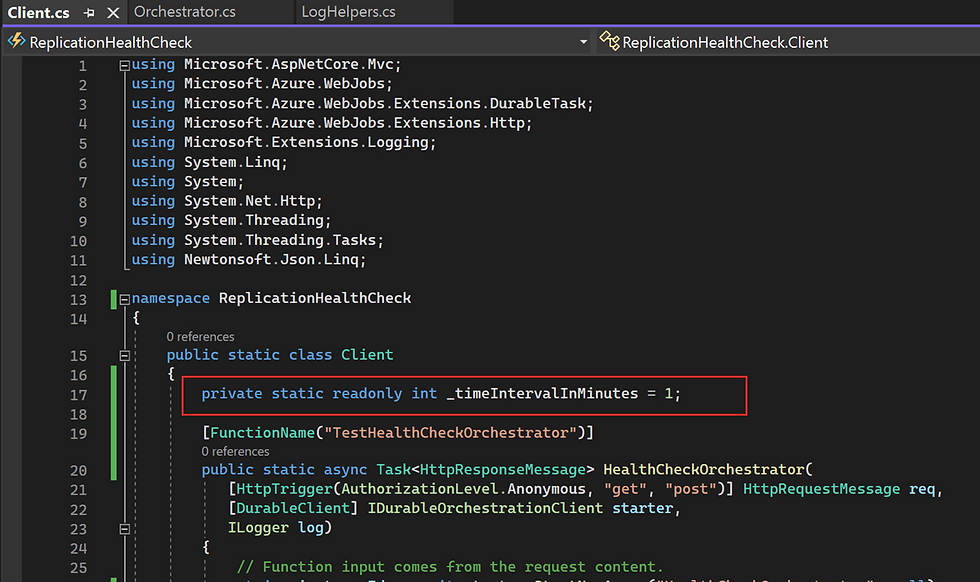
This variable it is used in Step 7.1 (see figure above) to check if the last completed orchestration is older than this interval.

Activity 2 is called once a minute. If the timeIntervalInMinutes = 5 then this activity will be called 5 times.
Execution's results:
1. Start the project in Debug mode

2. Call the StatusCheck function for the first time:

3. Call the StatusCheck function for the second time:

4. Call the UpdateCounter function:

5. Call the StatusCheck function for the third time:

6. Call the StatusCheck function for the forth time, after longer than 1 minute:

7. Call the StatusCheck function for the fifth time, after the orchestration has been completed.
Notice that we have not called the UpdateCounter function therefore the timeout will expire
and the replication's status is set to Not Healthy:

8. Call the StatusCheck function for the sixth time, after longer than 1 minute: you will see the same screenshot as in 6).
Comments